

With another wave of cold weather and outage schedules, most EV drivers run into the same problem: it's unclear where to charge without extra stress. A station that worked yesterday can be dark today.
Release 1.7.0 brings five features that help during this difficult time.
1. Power availability statistics
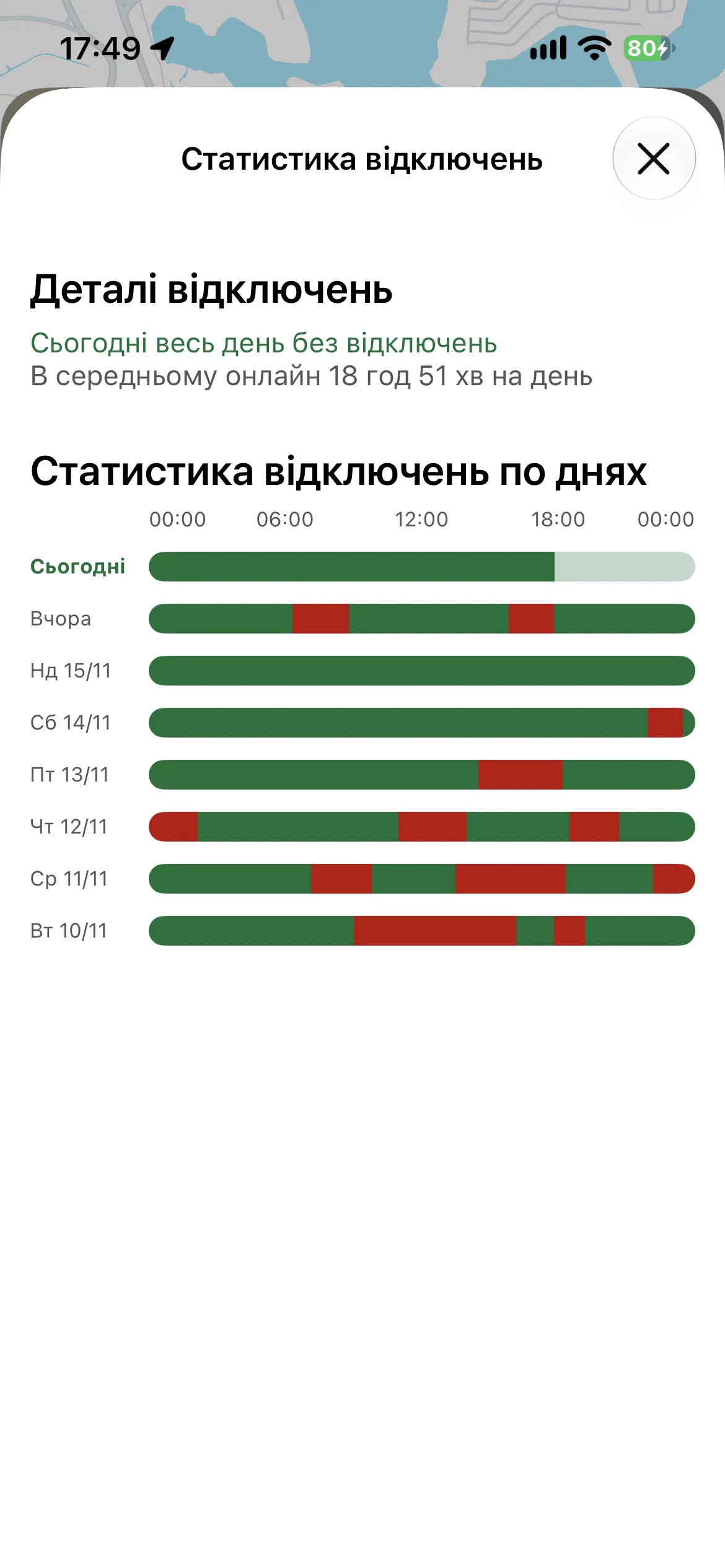
For every station whose network is integrated with us, we collect data on when it was online and when it was offline. From that we calculate a reliability percentage: how often the station is switched off, and whether it is at all.
Any user can see the statistics for the last 7 days. The reliability percentage is also on the short station card, so you don't need to open anything.
2. The "Online now" filter
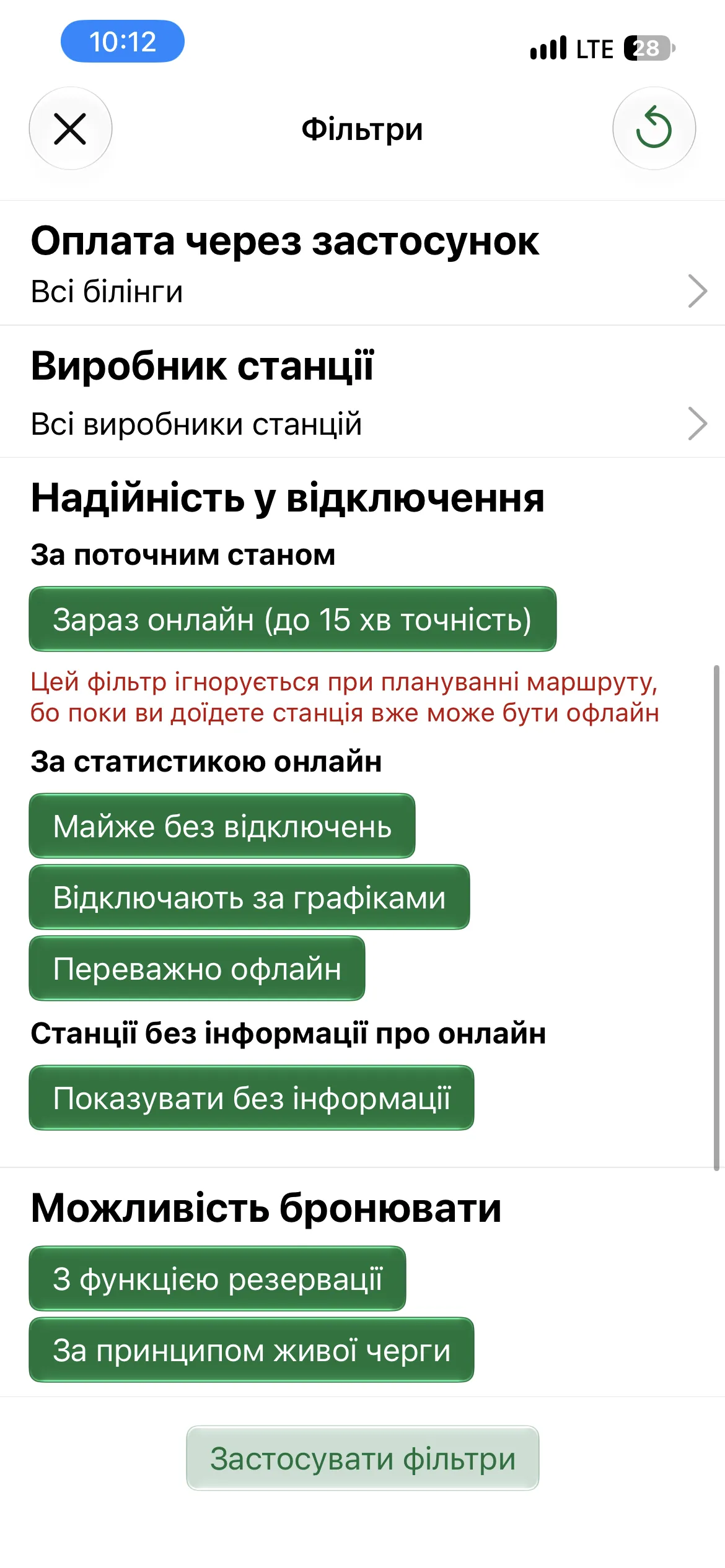
Owners have long asked for a filter that shows only stations working right now. It's hard to build, because there is always a delay between the station, the network, the EV UA server and the app. Thanks to several technical solutions we reached an accuracy of 15 minutes. In practice it's 3–7 minutes.
It isn't a 100% guarantee, but it's the most that's technically possible. If you're offline or the data is more than 15 minutes old, the filter switches itself off. So right after launch you may see all stations, and only the online ones once the data refreshes.
There is a second filter based on the same reliability percentage. With it you can include only locations without power cuts in a route.
3. Outage schedules
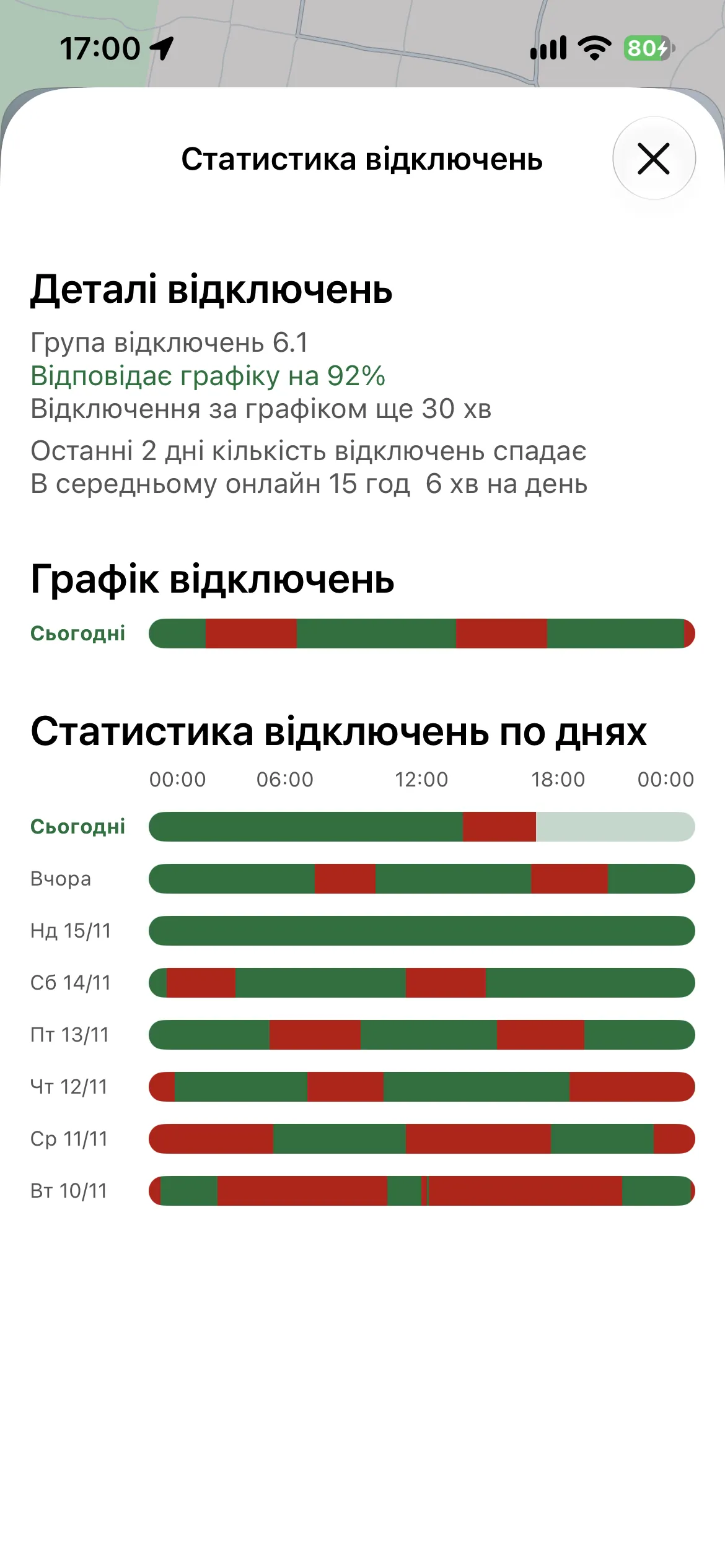
Where possible, the app shows the current outage schedule for a station: whether emergency outages are in effect and whether restrictions are planned for tomorrow.
Schedules don't always match reality, so we also show a trust percentage based on recent days and a forecast of the next shutdown or return of power. The data is filling in gradually and isn't available at every station yet.
4. Notify me when a station is online
Imagine you live near a station and want to charge as soon as the power returns. You'd have to look up the schedule, set an alarm and open the app now and then.
Now you can turn on notifications for the station and get on with your day. When the station comes back online, your phone gets a message and you can be first in line.
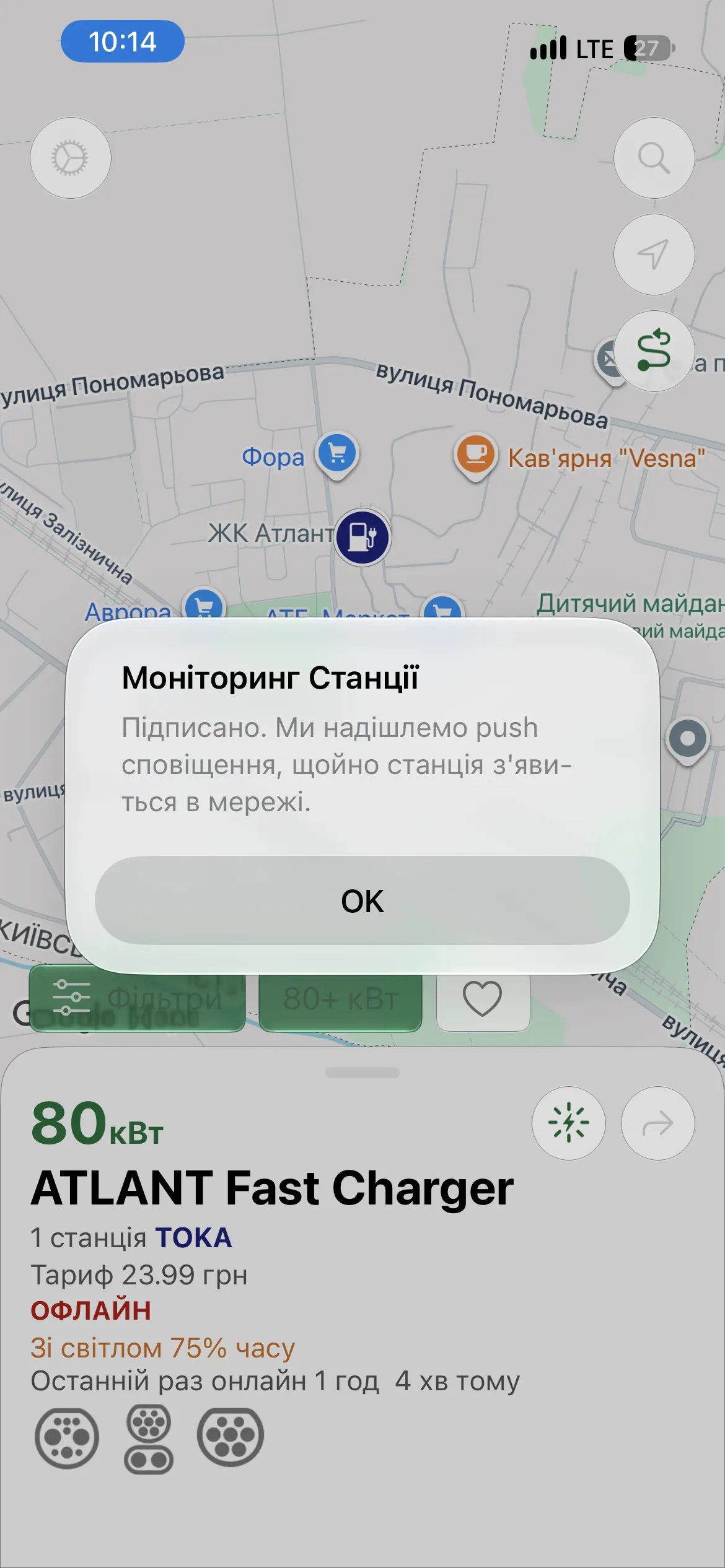
This feature is available on the PRO and MAX plans, with the first week free.
5. Active monitoring
You're heading out to charge, and there are five stations about the same distance away. Which is free? Which is closest? Which is online right now? Tapping through each one while driving isn't practical.
Add them to monitoring and EV UA points to the nearest free station. If someone takes it, the app suggests the next free one among those you chose. It all works in Apple CarPlay and Android Auto too, so you don't need to take your phone out.
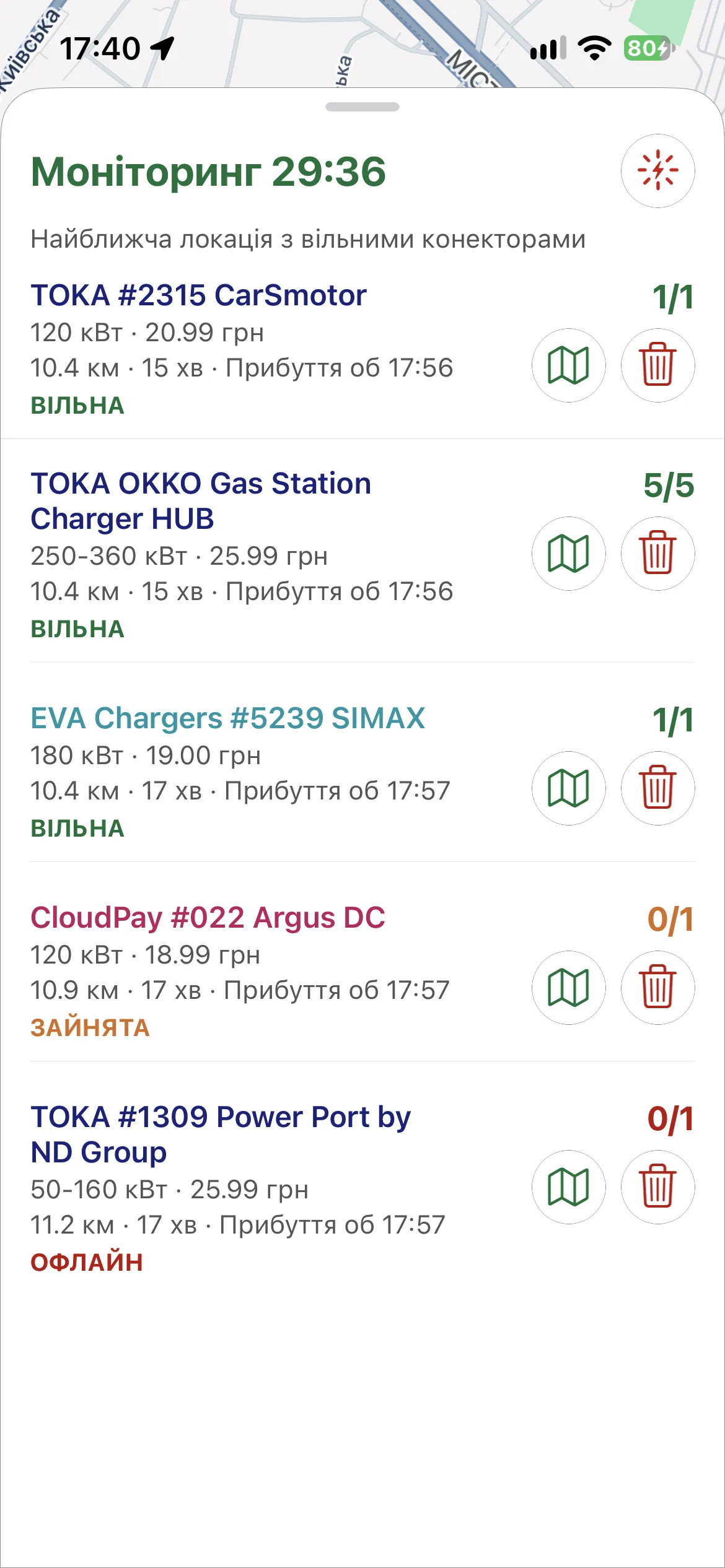
Active monitoring doesn't need a subscription, but it has limits: up to 15 minutes, 3 locations at a time and 3 runs a day. With PRO or MAX, monitoring runs up to 30 minutes, with more locations and runs per day.
Putting it together on a real trip
- Turn on the "Reliability during outages" filter before planning a route. It shows only stations that rarely lose power.
- For a station you like, check its schedule and the trust percentage.
- If the station is dark right now, subscribe to the notification and carry on with your day.
- When you set off, add a few nearby stations to monitoring.
Note that the "Online now" filter is ignored during route planning. By the time you arrive, the station may already be offline, so the reliability filter works better for routes.


