

An electric car on a long trip isn't scary when you know in advance where to charge and how much. The EV UA route planner works that out for you, but it only does it well with honest inputs.
Start with your real range
In the route settings you enter three things: range, charge at the start and the charge you want on arrival. Enter your real range, not the brochure figure. In winter on a highway it is noticeably shorter than the official number, and if you enter the official one, the app plans charging stops too optimistically.
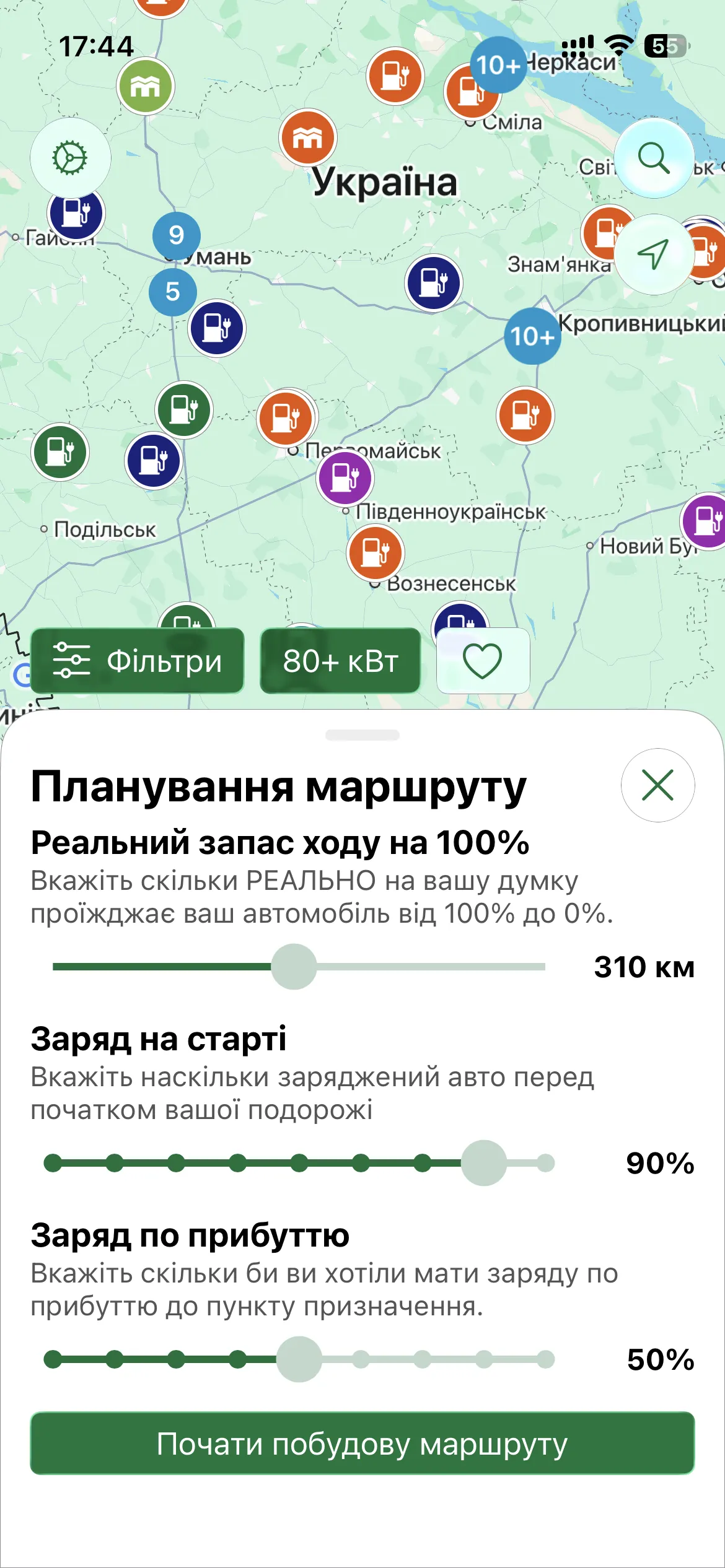
The destination can be an address, a station or any point on the map. Waypoints work the same way: up to 10 for free, up to 25 on PRO and MAX. A route can be up to 2,000 km long.
Three ways to pick charging stops
Manual. You choose the stations along the way yourself. It suits you when you have favourite locations or drive a familiar route.
Automatic. Tap the magic wand and EV UA picks the stops itself. It takes into account your range, charge, detour from the road, station power, price and nearby places, then searches for the best sequence of stops for the whole route, not just the nearest one.
Mixed. You pin the stations you want and the app fills the remaining gaps.
Automatic picking has a daily limit: 5 on the free plan, 25 on PRO and 100 on MAX.
What a finished route shows
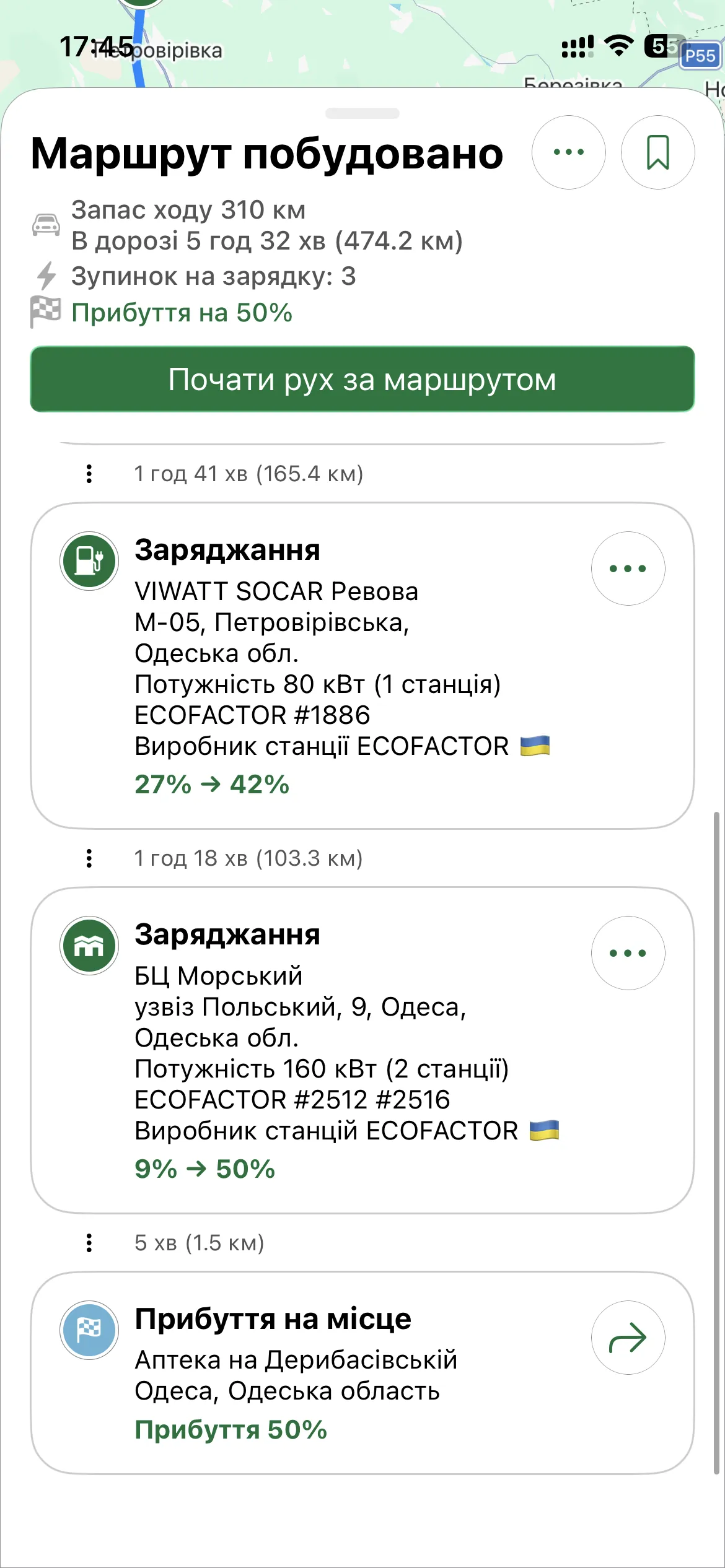
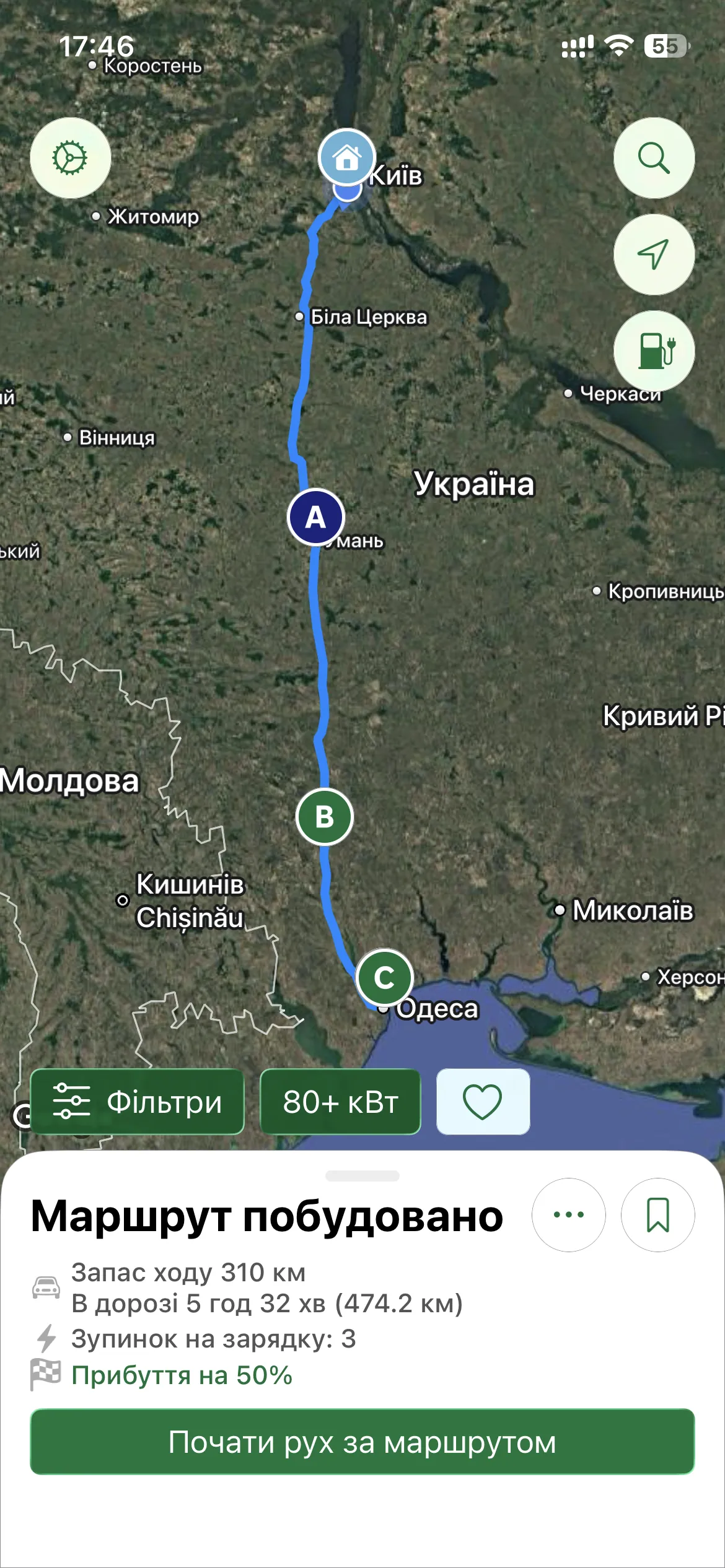
For each stop you see how much you charge: for example, from 27% to 42%. Then come the time on the road, the station's power and its network. On the map the route is shown together with the stations along it.
The "Online now" filter is ignored during planning, because by the time you arrive the station may have gone offline. If power cuts matter to you, use the station reliability filter: the planner does take it into account.
Let's go: navigation and CarPlay
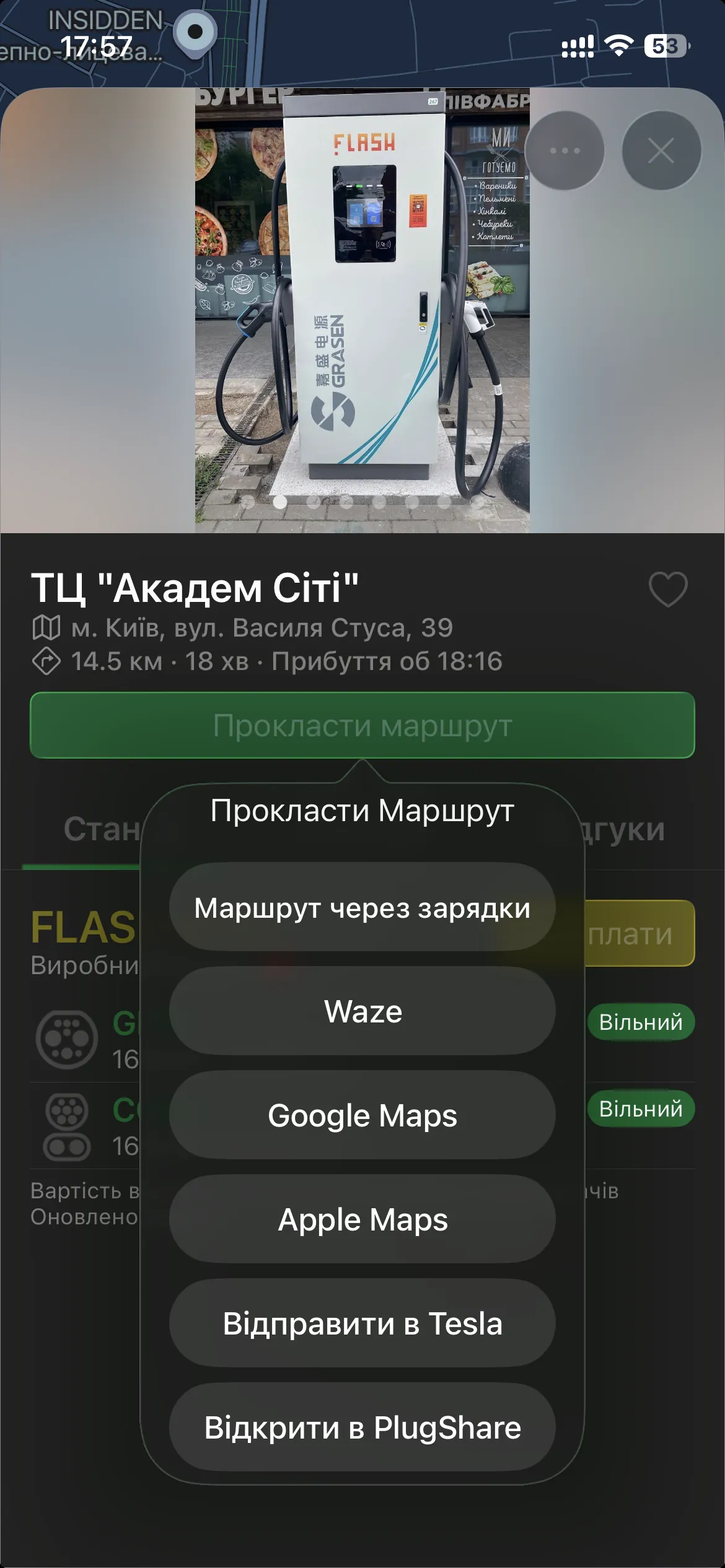
A finished route can be opened as a whole in Google Maps or Apple Maps, or viewed on the CarPlay or Android Auto screen. Each individual stop can be sent to Waze, Google Maps, Apple Maps (on iOS) or Sygic (on Android). Saved routes sync between your devices (3 on the free plan, 25 on PRO, 100 on MAX), so a route you built at home shows up in the car too.
A tip for the road
Set the arrival charge to at least 10–15% and don't run on the last percentages to a station with no backup nearby. Add two or three stations around a key stop rather than one: if the first is taken, you have a choice, and active monitoring shows which one is free.


