

It used to be that seeing stations on a car screen needed a phone: Apple CarPlay and Android Auto simply project a picture from it. Android Automotive is different. It's the car's own operating system, and apps run on the car itself, with no phone.
EV UA has a separate version for these cars, and we've tested it on real vehicles.
How Android Automotive differs from Android Auto
- Android Auto and CarPlay show apps from your phone on the car's screen. Without the phone, they're gone.
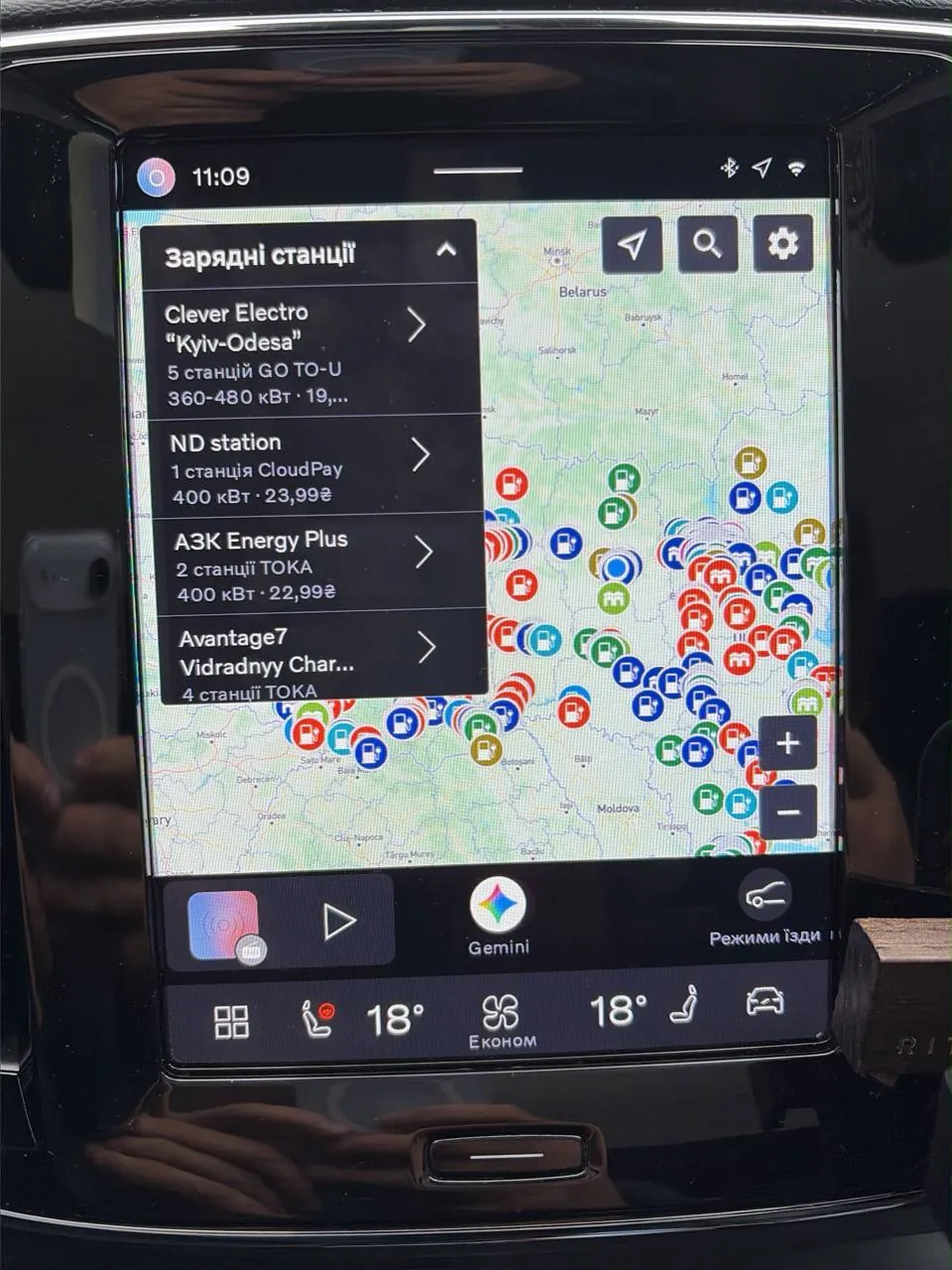
- Android Automotive (AAOS) runs directly in the car. You install apps from Google Play on the car's screen, and the account stays yours.
Cars where Android Automotive is combined with Google services carry the Google built-in label.
Which cars have it
According to Google, cars with Google built-in are now available in more than 100 models from 16 brands . The Polestar 2 is credited as the first production car with built-in Android Automotive . Among the first to adopt it were Volvo and a few Stellantis and GM brands . More recently Mazda joined them: its all-new 2026 CX-5 is the first model with Google built-in.
This matters especially for GM. The company said its new EVs are dropping CarPlay and Android Auto in favour of a platform based on Android Automotive. The 2026 GMC Hummer EV, for example, has already lost both, and the Cadillac Lyriq remains an exception for now. For owners of such cars, an app that runs in the car itself becomes the only way to have your own charger map on the screen.
The list of models keeps changing, so check Google's site for current information before buying a car for a particular app.
How to install
- Open Google Play on the car's screen.
- Search for "EV UA" and install the app.
- Launch it on the car's screen.
For installing, there's nothing extra to scan or connect. The app works in Ukrainian and English.
What it looks like in a real car
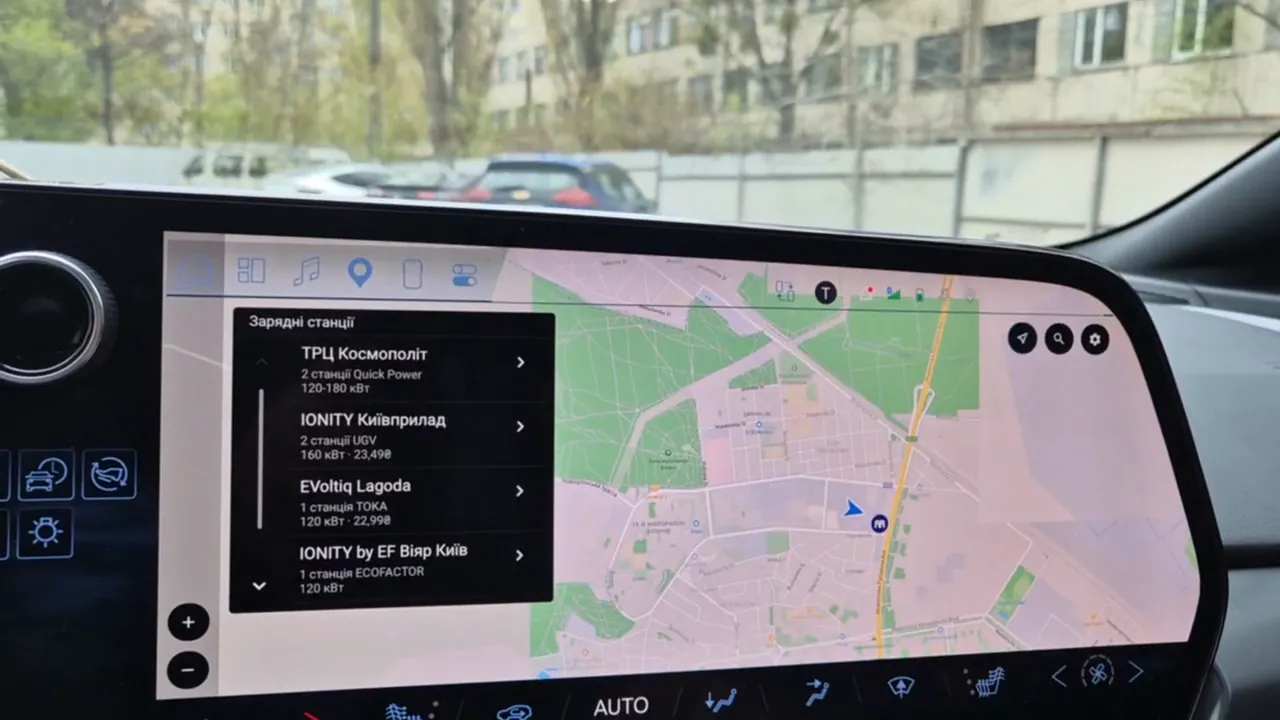
We filmed EV UA on a Chevrolet Blazer EV. Stations are shown as a list with power and price, next to the map. Tap a station and you see its card with a photo.
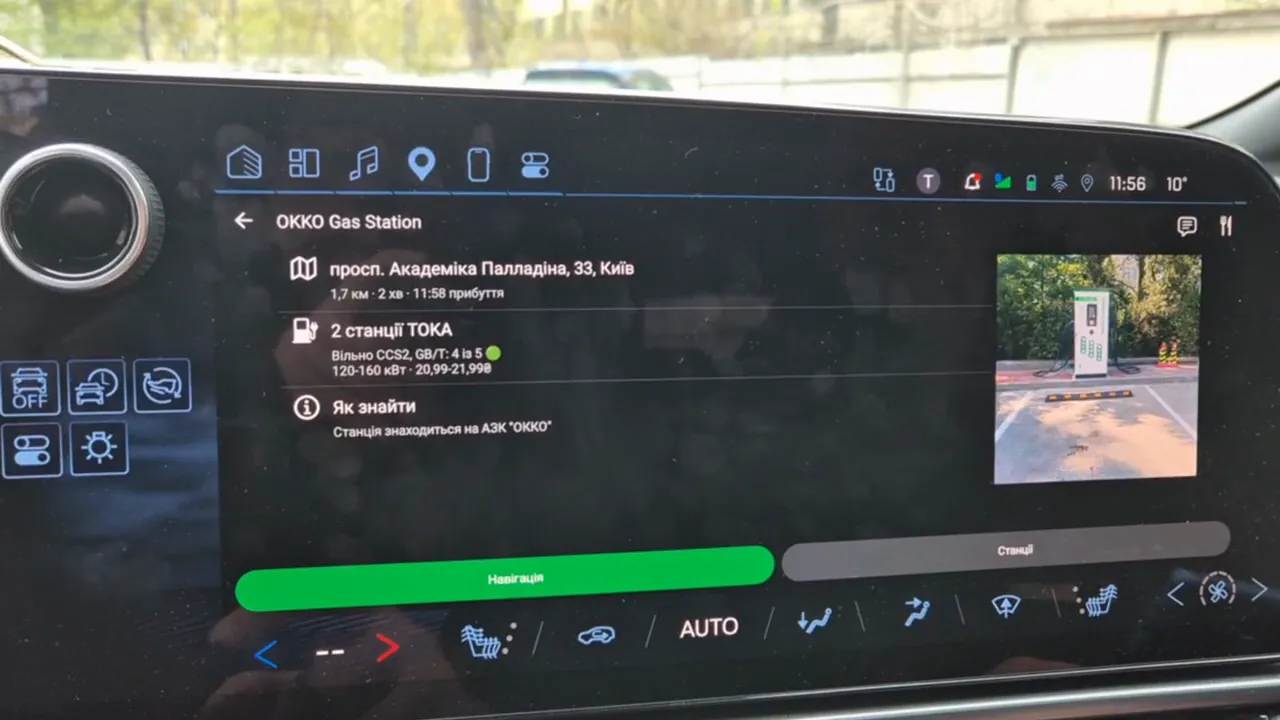
The "Navigation" button on the card hands the station over to Google Maps on the car's screen, and you can set off straight away.
What else is on the car screen
The same filters for power, network and connectors as on the phone work on car screens, along with route building with charging stops. Saved routes sync from your account, so a route you built at home will be waiting in the car.


